Give your AI agents eyes for the web

Use the ScreenshotOne MCP to give your agents screenshots of any web page, without ads or cookie banners, plus the page text as clean Markdown.

https://mcp.screenshotone.com

Works with every MCP client:

Stripe brand colorsPull a brand palette from a screenshot

What are Stripe's brand colors? Check stripe.com and give me CSS variables for a comparison slide.

render-website-screenshot

ScreenshotOne · Completed

{ "url": "https://stripe.com"}
screenshot.jpg

Stripe's home page pairs a tight core palette with a bright ribbon gradient:

  • Navy #061B31 for headlines and navigation
  • Blurple #533AFD for buttons and accents
  • Slate #64748D for supporting headline text
  • Ribbon #B4BDFE #FE9A15 #FE5B66 #FE85E5 #8D60F0 in the hero
:root { --stripe-navy: #061B31; --stripe-blurple: #533AFD; --stripe-slate: #64748D; --stripe-ribbon: linear-gradient( 120deg, #B4BDFE, #FE9A15, #FE5B66, #FE85E5, #8D60F0 );}

The ribbon stops are sampled from the screenshot, so treat them as close approximations.

Guillaume Barillot
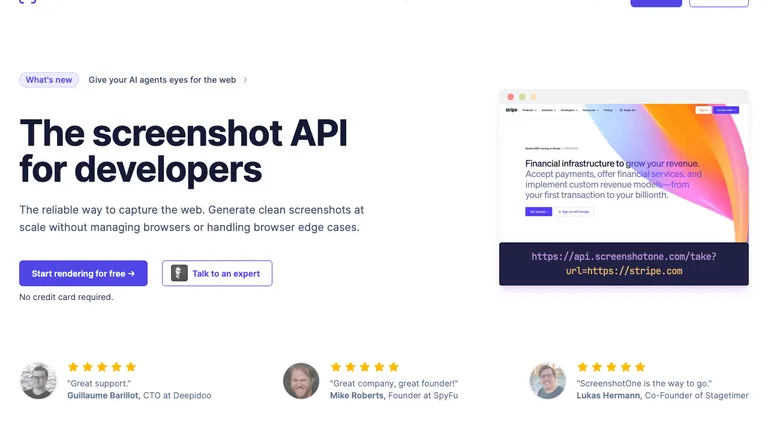
"Great support."
Guillaume Barillot, CTO at Deepidoo
Mike Roberts
"Great company, great founder!"
Mike Roberts, Founder at SpyFu
Lukas Hermann
"ScreenshotOne is the way to go."
Lukas Hermann, Co-Founder of Stagetimer

Workflows

Give agents context they can use

Screenshots show how a page looks, and Markdown shows what it says. Together they let your agent check, compare, and report on any page.

Verify the live page

Let an agent capture the rendered result after a release and include visual proof with its QA summary.

Read the use case : Verify the live page

Research with visual context

Combine a screenshot with clean Markdown when an agent needs to understand both how a page looks and what it says.

Read the use case : Research with visual context

Monitor visible changes

Use ScreenshotOne inside a scheduled agent or automation workflow to capture the same page over time.

Read the use case : Monitor visible changes

Attach evidence to results

Return temporary image URLs and full-page slices an agent can inspect or preserve with a report.

Read the use case : Attach evidence to results

Track competitor pricing

Have an agent read competitor pricing pages as Markdown and keep a screenshot of each plan table it compares.

Read the use case : Track competitor pricing

Review landing pages

Give an agent the rendered page and its copy so it can critique the layout, messaging, and calls to action.

Read the use case : Review landing pages
Thomas Sanlis
Thomas Sanlis
Founder,Uneed

ScreenshotOne is so simple to use I didn't even realized my agents used it to take screenshots. I followed the journey of ScreenshotOne since the beginning, and it's among the few products I can put 100% of my trust in.

Read how Uneed uses ScreenshotOne with AI agents →

Frequently Asked Questions

Quick answers to common questions about the ScreenshotOne MCP and giving your agents web page screenshots and text.

What is the ScreenshotOne MCP server?
A hosted Model Context Protocol server at https://mcp.screenshotone.com that connects your ScreenshotOne account to any MCP-aware AI client. Your agent can render website screenshots, split long pages into full-page slices, and extract clean page content as Markdown.
Which clients are supported?
Claude, Claude Code, ChatGPT, Codex, and Cursor are covered in the MCP guide. GitHub Copilot, Gemini, Windsurf, OpenCode, OpenClaw, and any other client work too, as long as they support remote HTTP MCP servers with OAuth. The endpoint is the same everywhere.
Do I need to run anything locally or paste an API key?
No. The server is hosted at https://mcp.screenshotone.com, and you connect with OAuth in the browser. If you prefer a local setup, an open-source command-line server is also available on GitHub.
MCP vs the API: which should I use?
Use MCP when you work through an AI client like Claude Code, Cursor, or ChatGPT and want to ask for screenshots in natural language. Use the API when you build your own server integration or automation and need full control over requests, options, and responses.
Do MCP tool calls use my credits?
Yes. Each tool call runs as a regular ScreenshotOne API request on your account and costs 1 credit, whether it is a screenshot or Markdown. You can start free with 100 credits a month and no credit card.
Is my data or token sent anywhere else?
No. Your client talks to mcp.screenshotone.com, which renders pages through the ScreenshotOne API. You connect with OAuth, so no ScreenshotOne API key is pasted into the client, and you can revoke a connected client at any time on the MCP connections page.

Read

Guides and stories from agent builders

How teams connect ScreenshotOne to their agents, and what they build with screenshots and Markdown.

Automate website screenshots

Exhaustive documentation, ready SDKs, no-code tools, and other automation to help you render website screenshots and outsource all the boring work related to that to us.