CoAnimator is a desktop animation studio where AI agents build and edit product demos, launch videos, and tutorials from your instructions. Projects stay editable, and finished videos render locally on your machine.
Its built-in ScreenshotOne plugin turns websites into images and scrolling clips for your videos. Capture a full page or a specific element, then ask your agent to use it in a scene.
Install and connect
- Download and install CoAnimator.
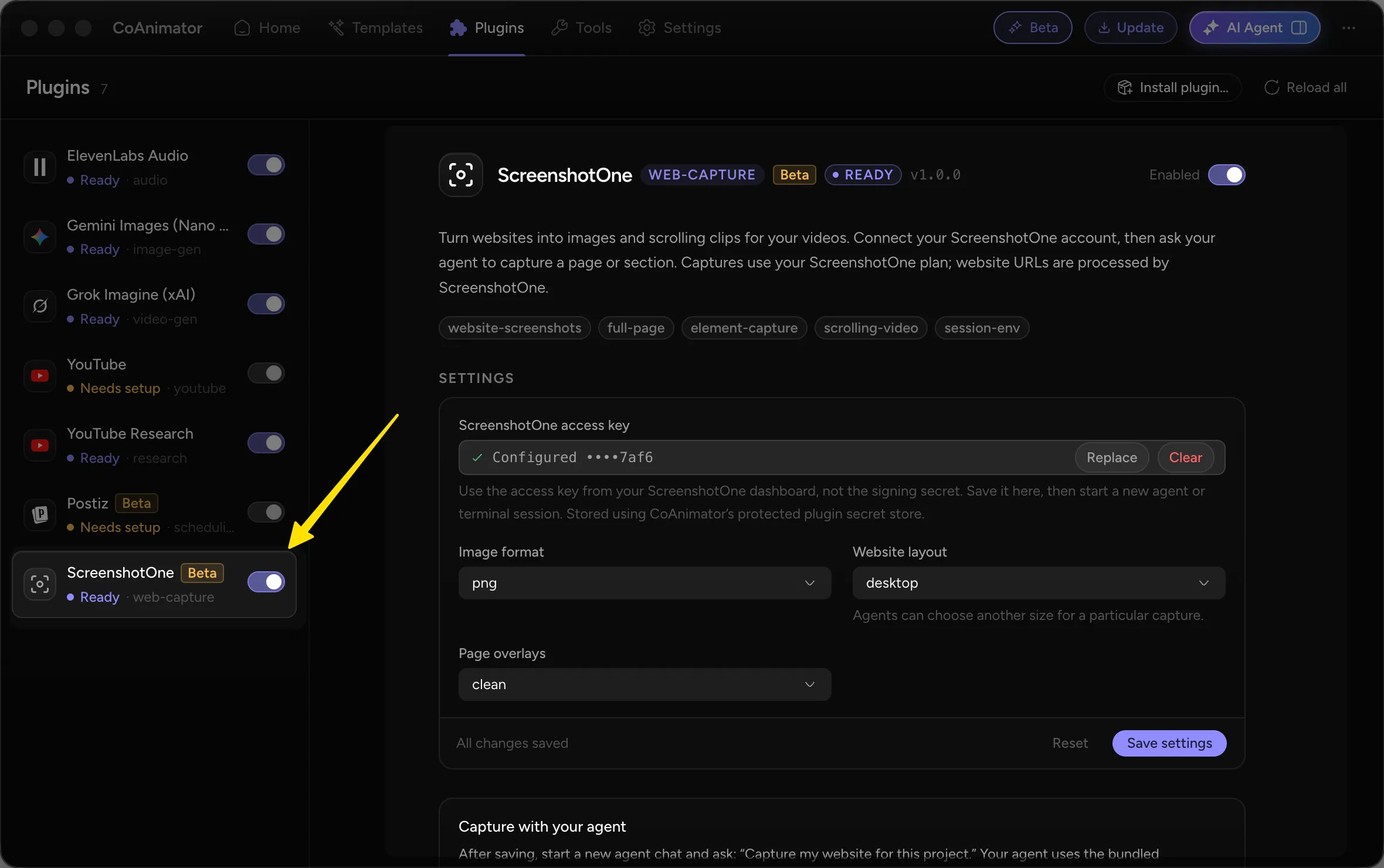
- Open Plugins, select ScreenshotOne, and enable it.
- Copy your access key from the ScreenshotOne dashboard. Use the access key, not the signing secret.
- Paste it into ScreenshotOne access key, choose your image format, website layout, and page-overlay settings, then click Save settings.
- Start a new agent chat or terminal session so it picks up the saved settings.
The plugin stores your access key in CoAnimator’s protected plugin secret store. Website URLs are processed by ScreenshotOne, and captures use your ScreenshotOne plan.
Use it in your videos
Ask your agent to capture a website and include it in your project. For example:
- “Capture https://screenshotone.com as a full-page screenshot for this project.”
- “Capture the pricing section of https://screenshotone.com/pricing/ as an image.”
- “Create a scrolling clip of https://screenshotone.com and use it in a product demo with a device mockup.”
You can adjust the capture size or request a different layout for a particular scene. Watch the integration demo to see website captures in an animated video.
Resources
Awesome product that-just-works™. Took me 10 minutes to add it to my (Rails) stack. Simple pricing. Great support. If you need something like a "Screenshot as a Service" API. Give it a try!