Support for multiple API keys

You can now use multiple API keys to the access ScreenshotOne API.

Changelog 1 min read

Written by

Dmytro Krasun

Published on

Many ScreenshotOne customers asked to support more than one API key to access the API. Some need that for local development, some for testing or to separate different environments, and some for security reasons.

It took us some time to implement this feature and test everything, but now it is available.

Since today you can create and use multiple API keys to access the ScreenshotOne API. Check out the access page in the dashboard:
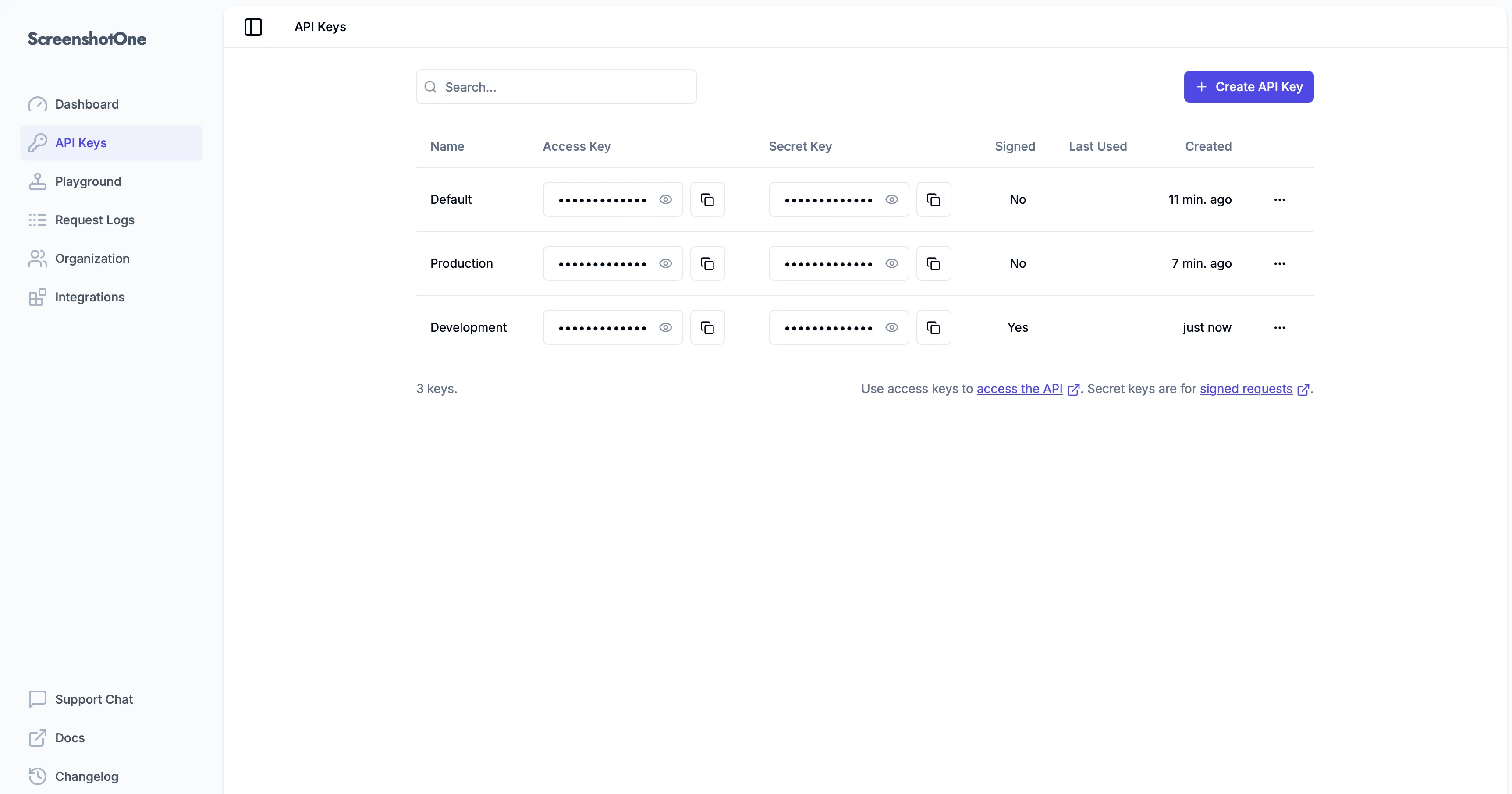
Multiple API keys in the dashboard

A few notes:

  1. Concurrency limit is shared between all API keys.
  2. Quota is shared between all API keys.
  3. You can regenerate or delete any API key. But cached screenshots might be still available.
  4. At least one API key is required to exist. You can’t delete all of them.

If you have any questions or need any assistance, please, reach out at support@screenshotone.com.

Read more product updates

New features, bug fixes, and optimizations...

View all product updates
ScreenshotOne on the Postman Public API Network

ScreenshotOne on the Postman Public API Network

You can now play with the ScreenshotOne API in Postman using many examples as starting points for integrations.

Read more

1 min read

Choose the format of the page content returned by the ScreenshotOne API

Choose the format of the page content returned by the ScreenshotOne API

Now you can choose the format of the page content returned by ScreenshotOne API with the metadata_content_format option.

Read more

1 min read

Rendering errors in webhooks

Rendering errors in webhooks

Check out how to get notified about rendering errors when using webhooks.

Read more

1 min read

Automate website screenshots

Exhaustive documentation, ready SDKs, no-code tools, and other automation to help you render website screenshots and outsource all the boring work related to that to us.