Notifications
ScreenshotOne can notify your team when your monthly usage approaches or reaches the configured usage limit.
By default, email notifications are sent when usage reaches 50%, 90%, and 100% of the monthly usage limit. You can manage these notifications in the dashboard:
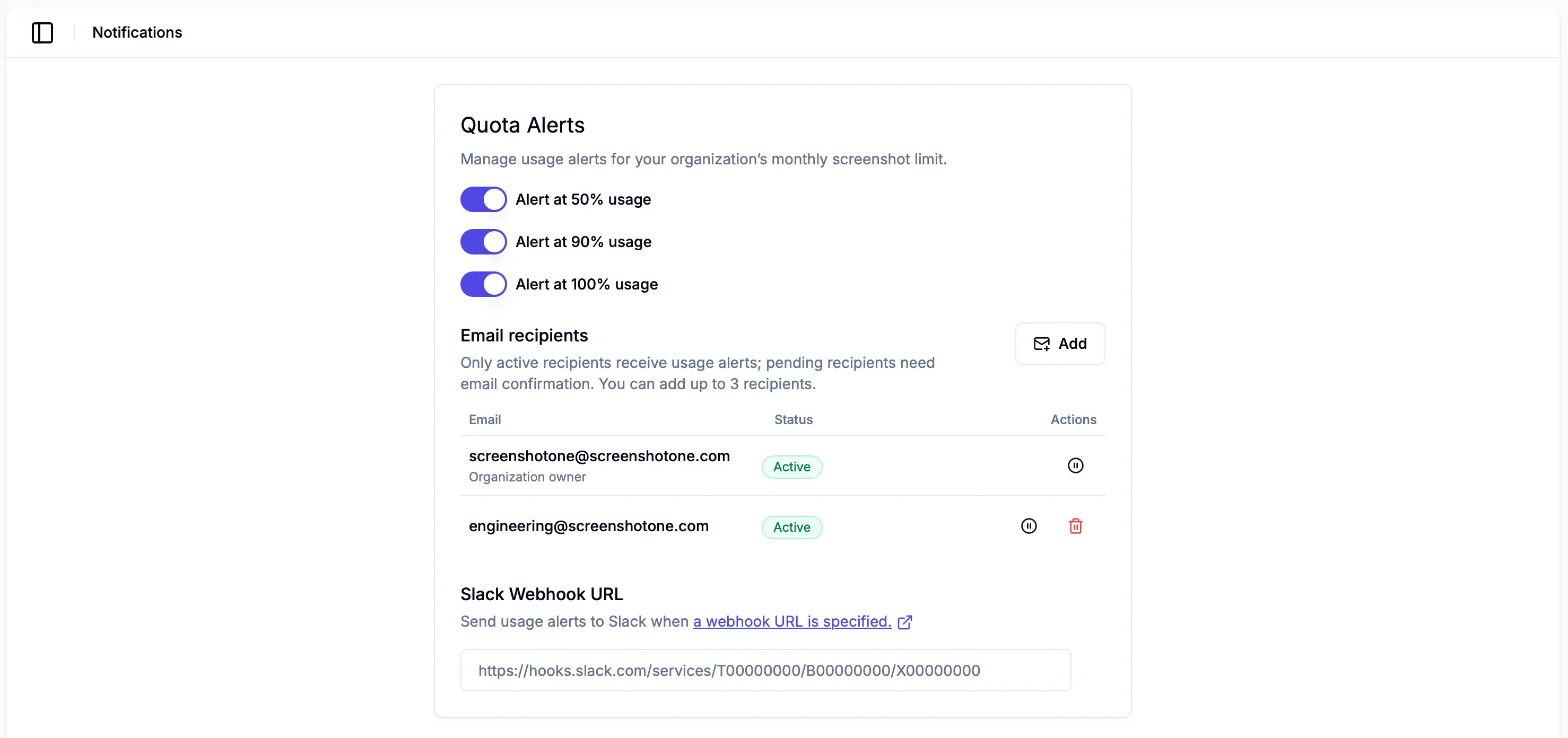
You can add up to 3 notification recipients. The organization owner is included by default, and organization admins can add dedicated recipients such as:
Custom recipients must confirm their email address before they receive usage alerts. Existing verified organization users can be added as active recipients without extra confirmation.
Only active recipients receive usage alerts. Pending recipients will not receive notifications until they confirm their email address.
You can also enable Slack notifications in the dashboard, in addition to email notifications.
To enable Slack notifications, you need to specify a Slack webhook URL in the dashboard:
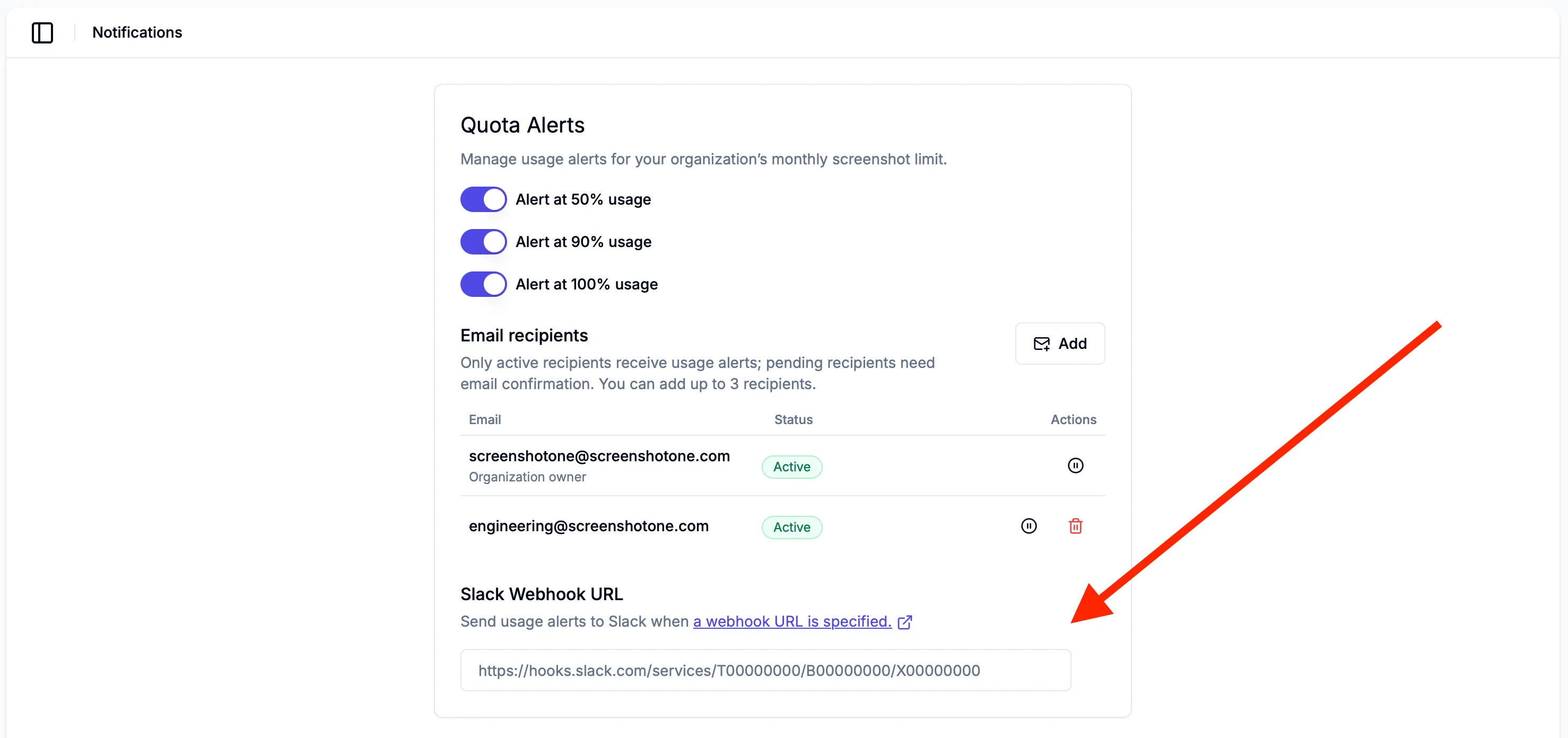
To configure a Slack webhook URL, you need to create a new webhook in your Slack workspace.
1. Create a Slack application
Section titled “1. Create a Slack application”Create a new Slack application.
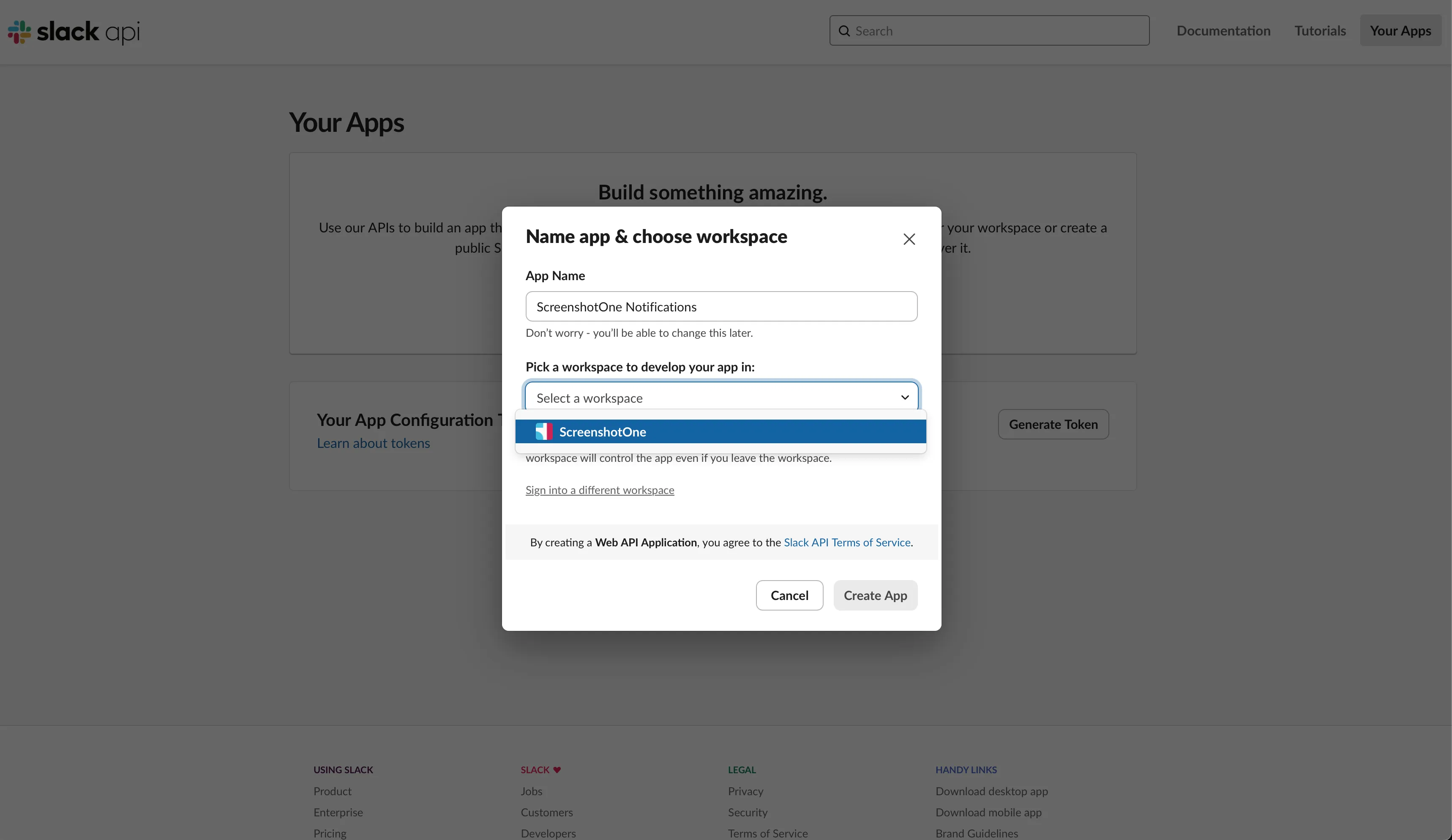
2. Enable incoming webhooks
Section titled “2. Enable incoming webhooks”Go to your application settings and enable incoming webhooks:
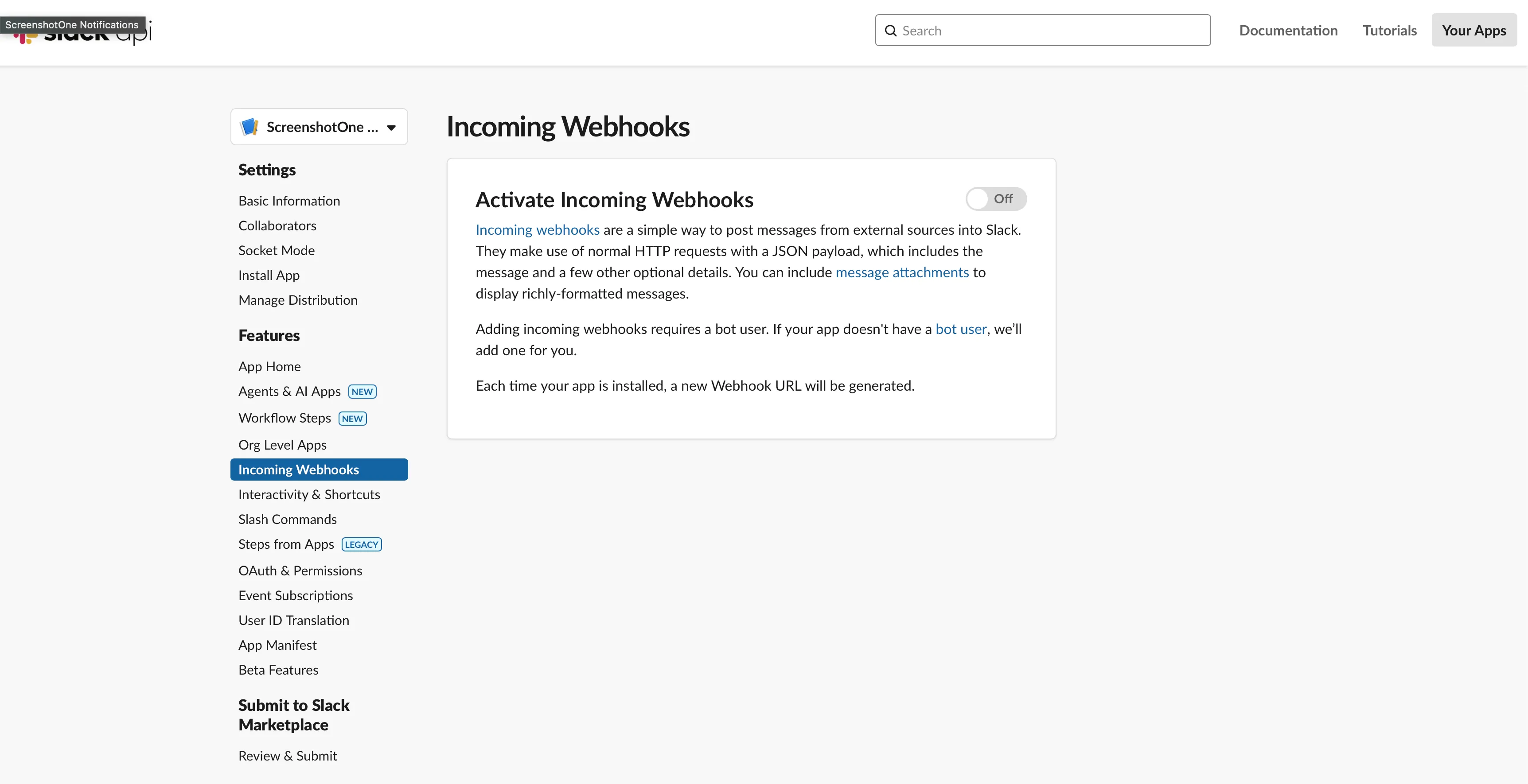
3. Add new webhook to your workspace
Section titled “3. Add new webhook to your workspace”Click on the “Add New Webhook to Workspace” button:
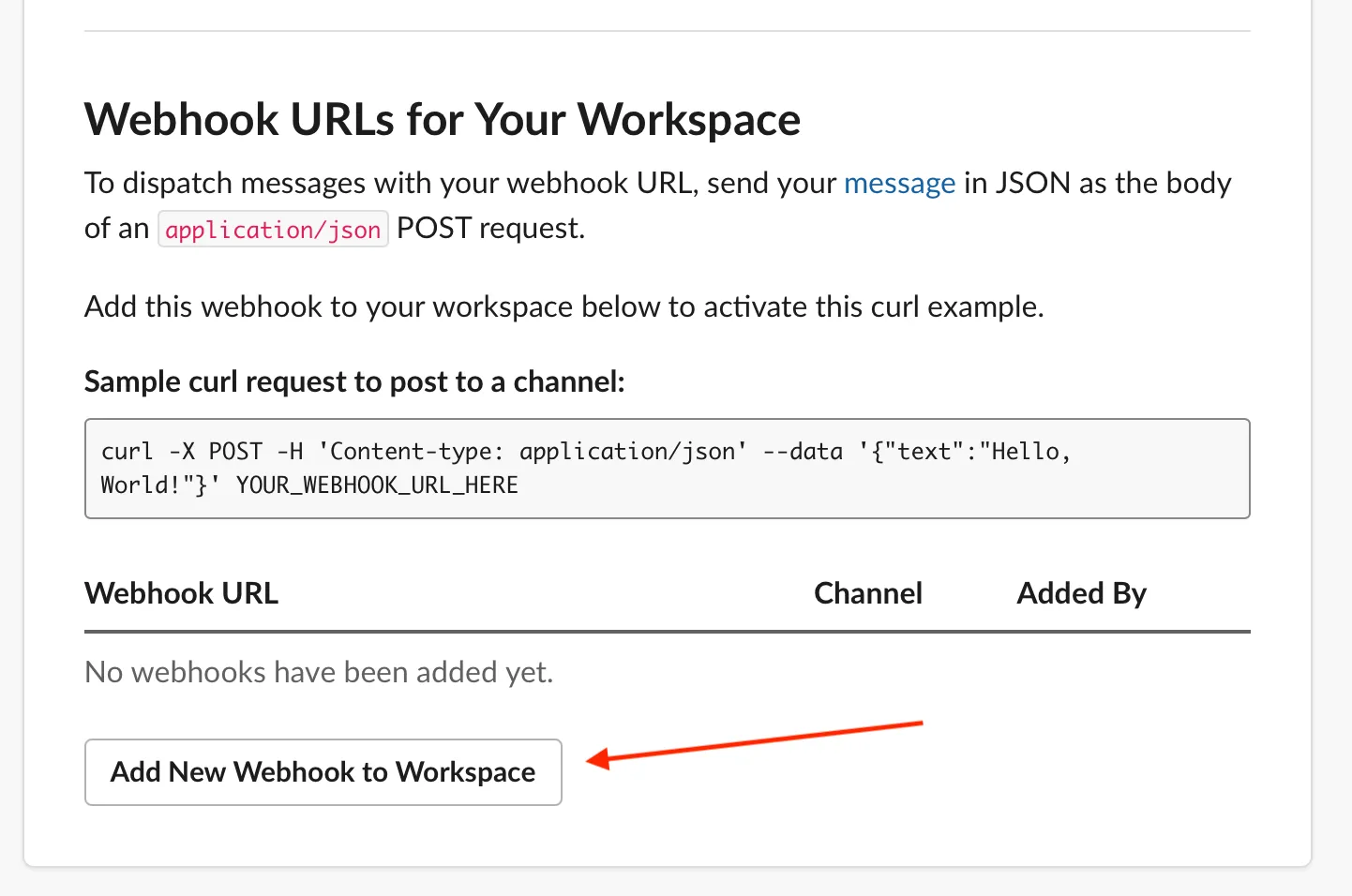
And then choose the target channel:
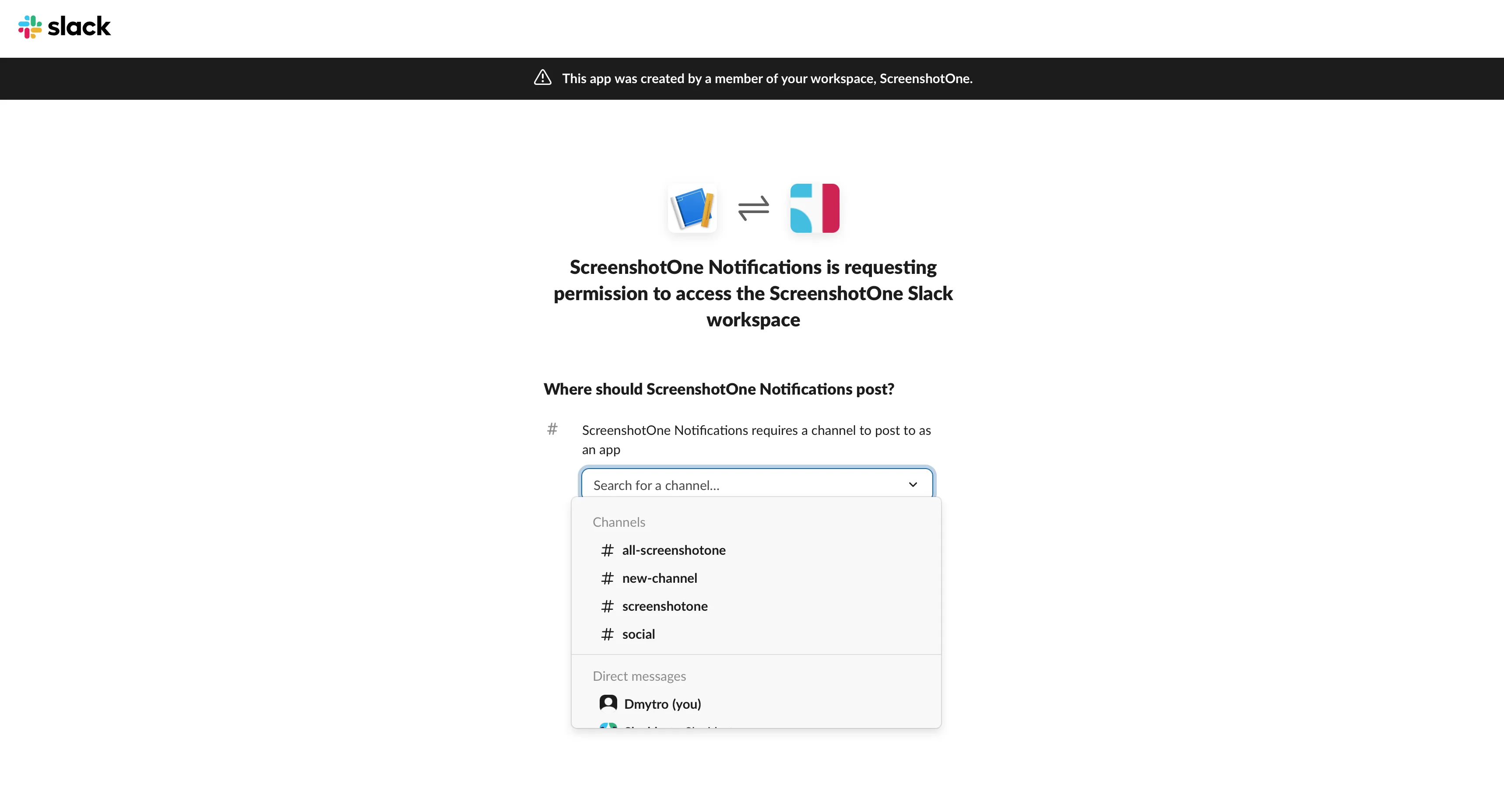
4. Copy the webhook URL
Section titled “4. Copy the webhook URL”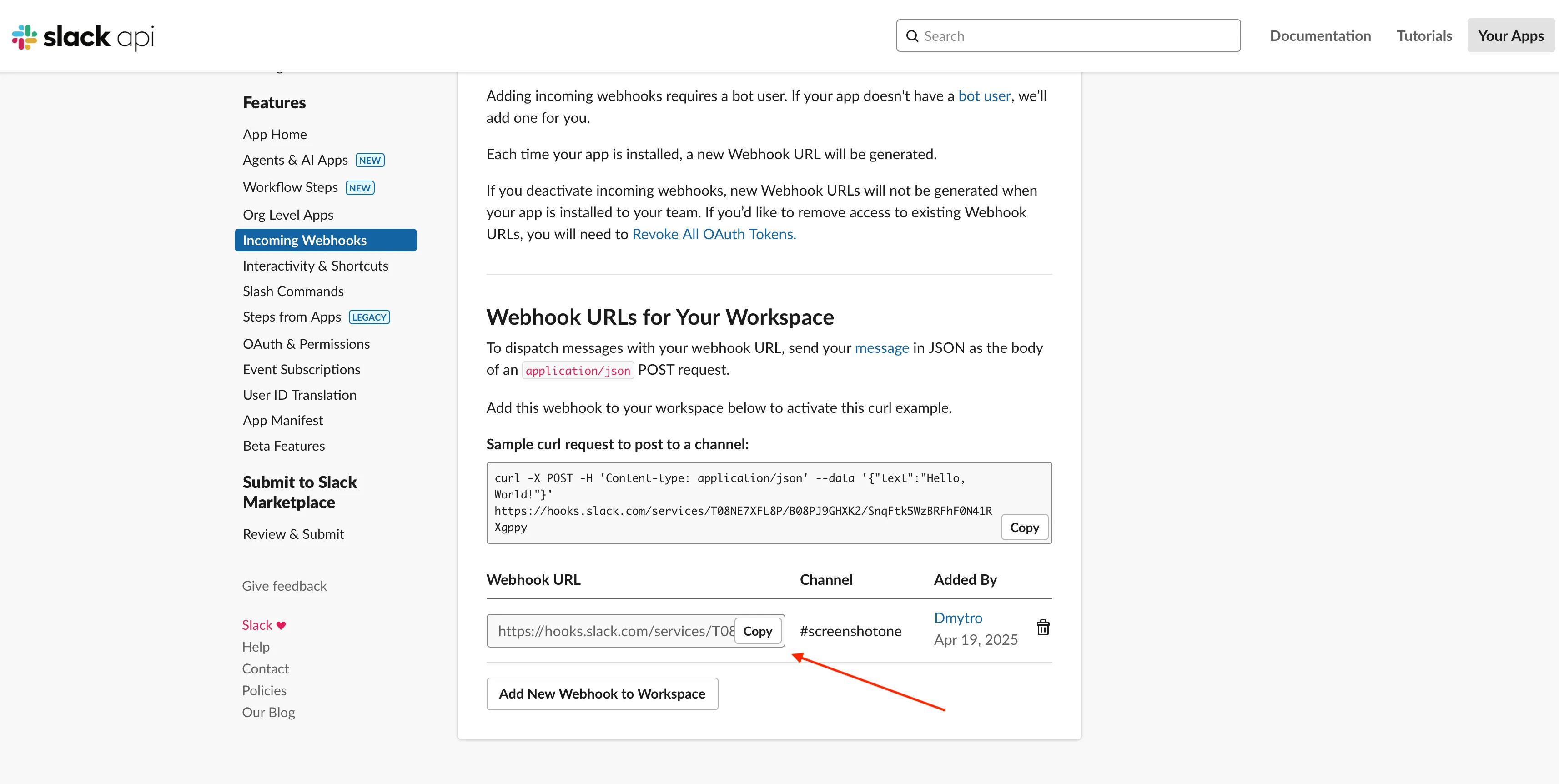
In this example, the webhook URL is:
https://hooks.slack.com/services/T00000000/B00000000/XXXXXXXXXXXXXXXXXXXXXXXX5. Save and test the webhook URL
Section titled “5. Save and test the webhook URL”Paste the webhook URL in the dashboard:

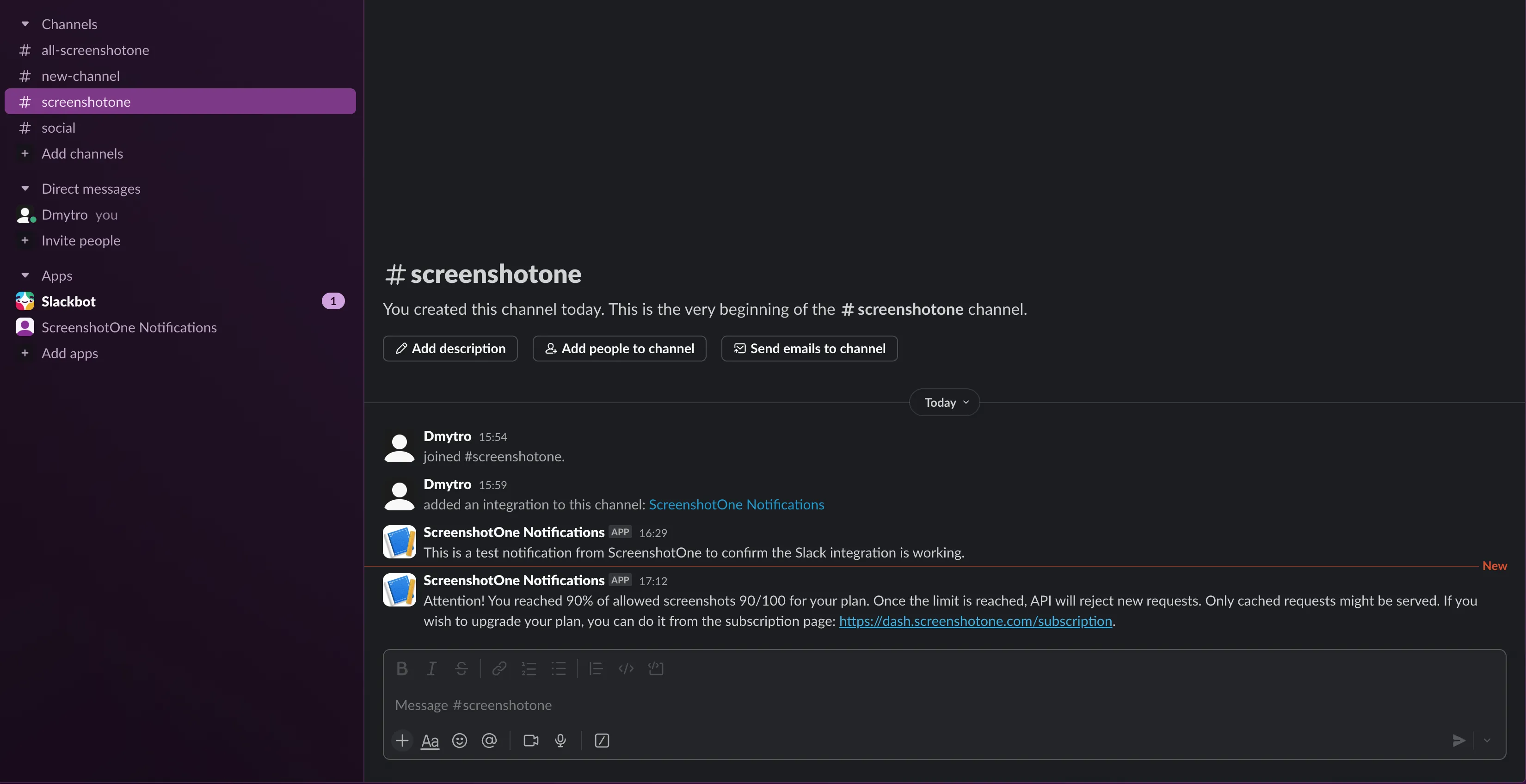
And check the integration test message in the target channel:
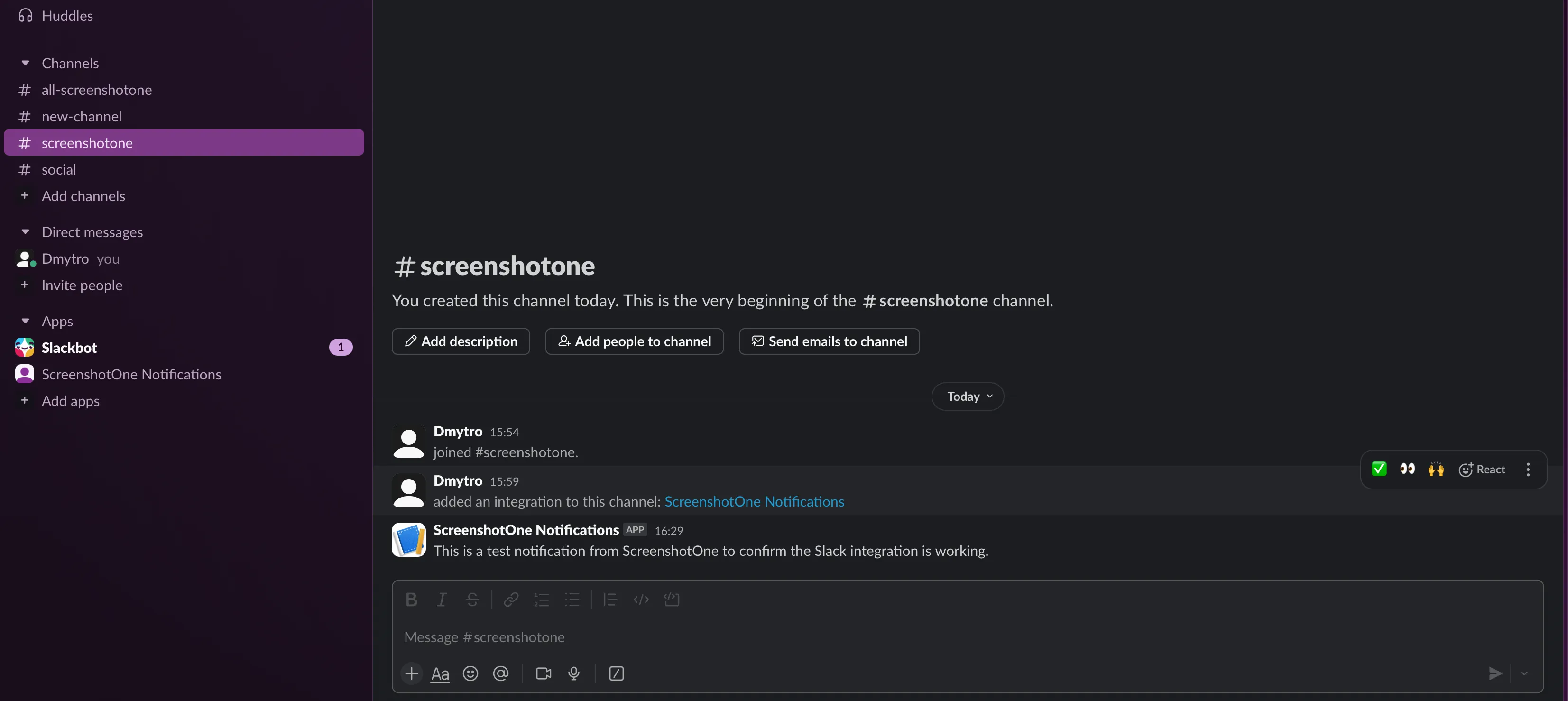
6. Get notifications when you reach the usage limit
Section titled “6. Get notifications when you reach the usage limit”Once usage approaches or reaches the configured limit, you will receive a notification in the target channel like this or similar:
Summary
Section titled “Summary”Use notifications to keep the right people informed before API requests reach the monthly usage limit. If you have more ideas or issues with configuring or receiving notifications, please reach out to us at support@screenshotone.com.