Resend organization invites

Organization owners and admins can now resend pending member invites from the dashboard.

Changelog 1 min read

Written by

Dmytro Krasun

Published on

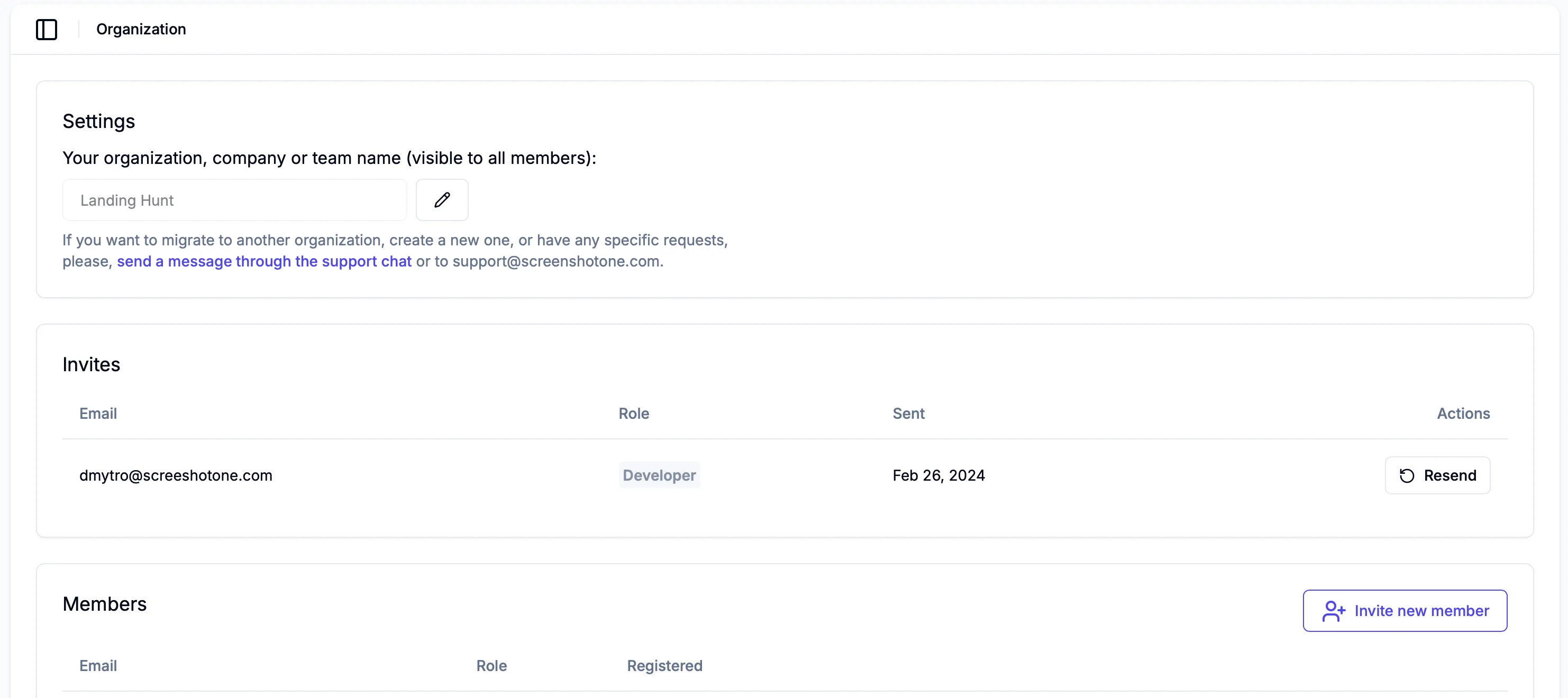
You can now resend pending organization invites from the ScreenshotOne dashboard.
Resend organization invites

If an invited teammate missed the first email, organization owners and admins can resend the invite directly from the organization settings page.

Before resending, ask the invitee to check their spam folder first. Resending is limited to avoid duplicate invite emails, so if the invite email was already sent successfully, it may be best to wait up to 24 hours before trying again.


Read more product updates

New features, bug fixes, and optimizations...

View all product updates
Improved the behavior and stability of the "scroll_into_view" option

Improved the behavior and stability of the "scroll_into_view" option

Before the change, there was a subset of cases when the rendering requests were failing when using the scroll_into_view option. Now, it is improved and will make rendering more stable.

Read more

1 min read

ScreenshotOne Dashboard performance has been improved

ScreenshotOne Dashboard performance has been improved

ScreenshotOne Dashboard has been upgraded to Next.js 16

Read more

1 min read

ScreenshotOne skill for OpenClaw is available

ScreenshotOne skill for OpenClaw is available

Use the ScreenshotOne Render Website Screenshot skill in OpenClaw via ClawHub.

Read more

1 min read

Automate website screenshots

Exhaustive documentation, ready SDKs, no-code tools, and other automation to help you render website screenshots and outsource all the boring work related to that to us.