Improved API request log

A new and improved request log has been deployed. That is a good beginning of the week! Check out why.

Changelog 1 min read

Written by

Dmytro Krasun

Published on

A lot of small improvements that will make your experience much better with ScreenshotOne:

  1. The history page is now named “Logs” or “Request Logs”. The previous name “History” was a bit counter-intuitive and didn’t reflect the real intent behind the logs—it is to help you.

  2. More details about the request. You will now see more details about the request you have sent and there will be much more soon. Everything to help you to debug any issues.
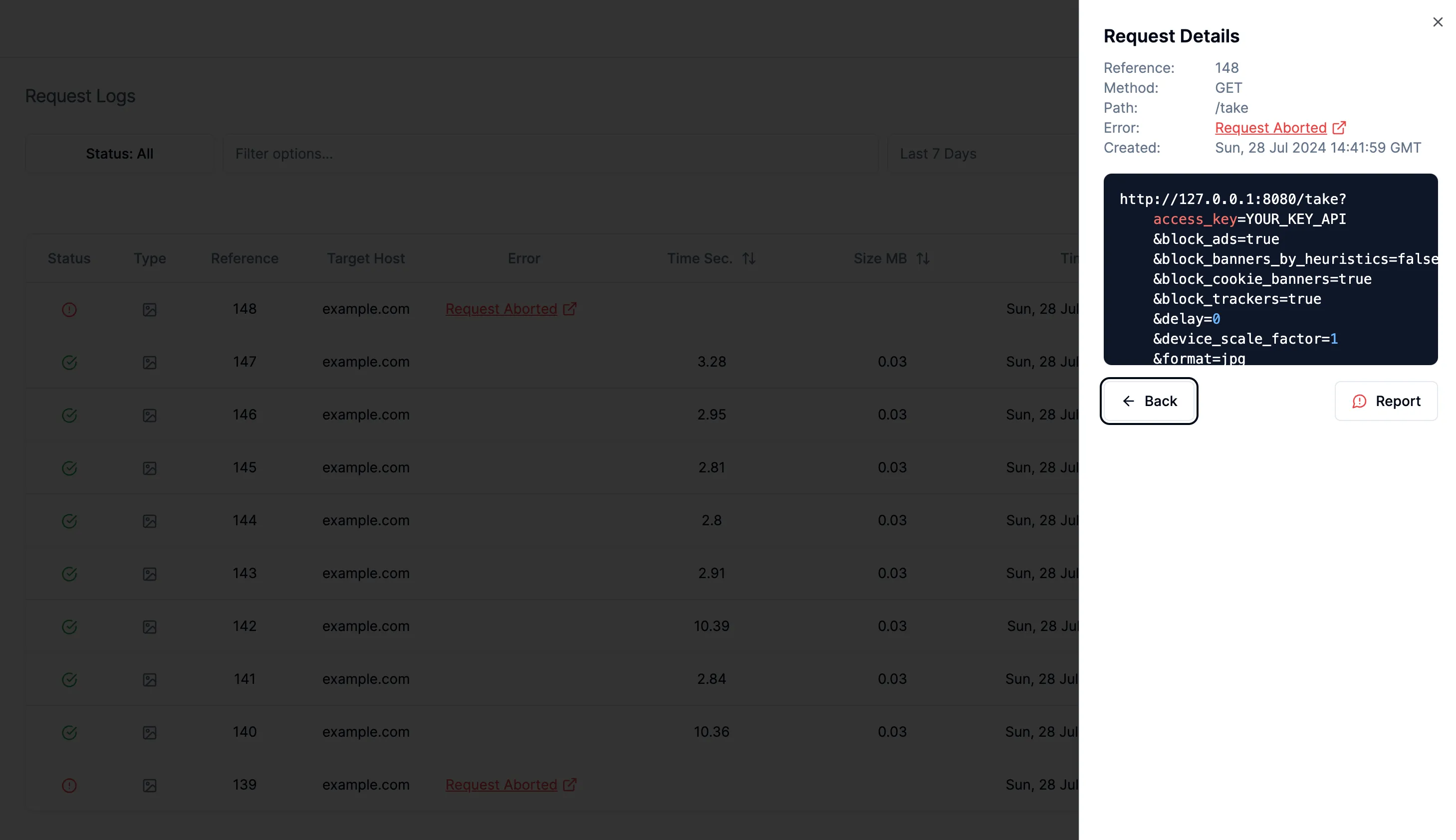
Request Details

  1. Report any API request in a few clicks. From now on, there is no need to write long messages and collect information about the request that has some issues. Just select the issue type and we will be reported about the issue.
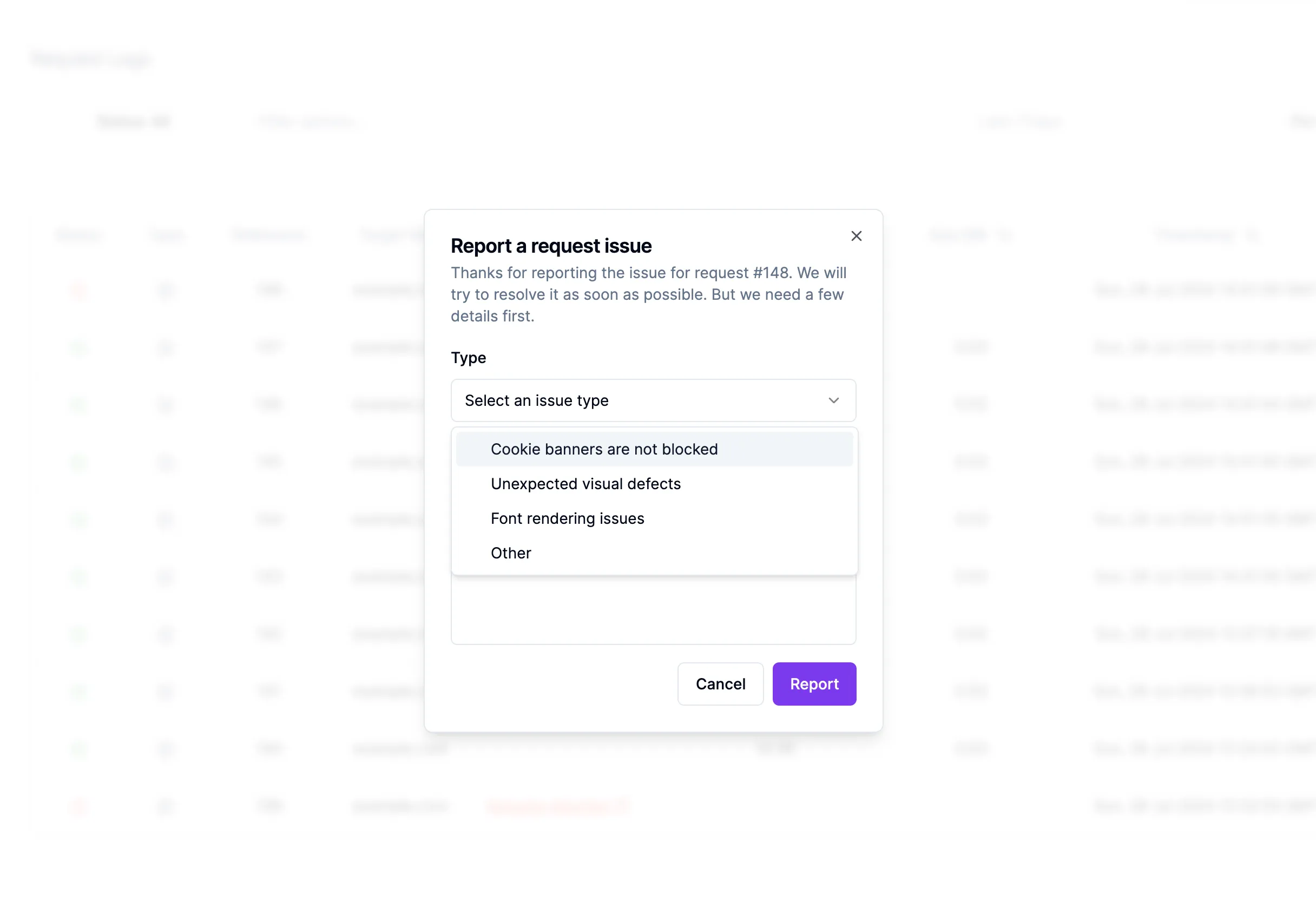
Report an issue

And a few minor improvements like changing titles, fixing typos, and so on.

Thanks for checking out these updates and have a nice day!
Read more product updates

New features, bug fixes, and optimizations...

View all product updates
Failed payment alerts in the dashboard

Failed payment alerts in the dashboard

Starting today, you will see an alert in the dashboard when a payment fails.

Read more

1 min read

Improved email change experience

Improved email change experience

The dashboard now explains each step of the email change flow with clearer pending, success, and error messages.

Read more

1 min read

Stop scrolling screenshots when a given selector is visible

Stop scrolling screenshots when a given selector is visible

New options were added to the ScreenshotOne API to stop scrolling screenshots when a given selector is reached.

Read more

1 min read

Automate website screenshots

Exhaustive documentation, ready SDKs, no-code tools, and other automation to help you render website screenshots and outsource all the boring work related to that to us.