We improved the email change experience in the dashboard settings.
Changing an account email has two verification steps: first, approving the change from the current email address, and then verifying the new email address. Previously, the flow could feel unclear because approving the first email returned you to the settings page without enough context.
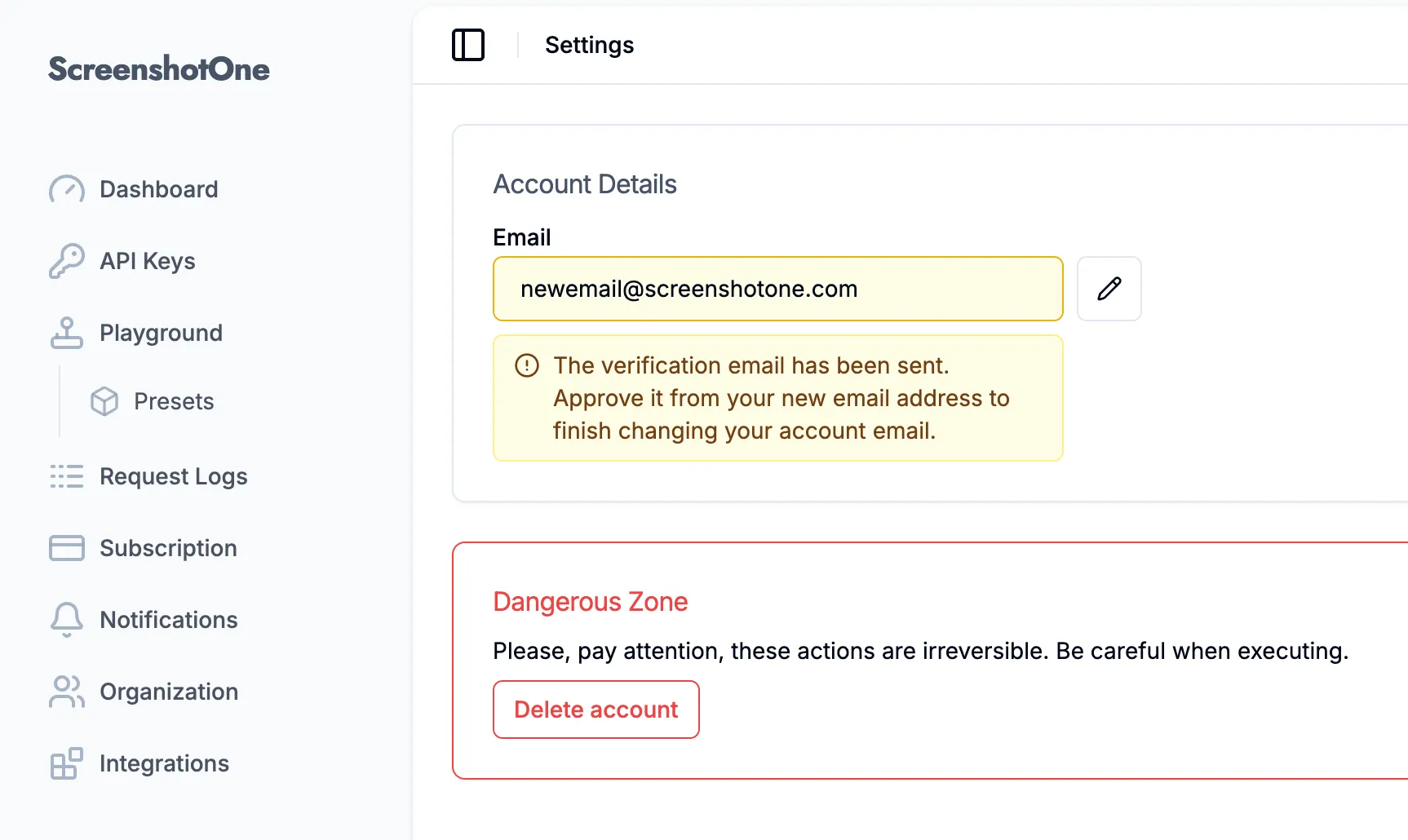
Now the dashboard shows the current state directly around the email field. After the first approval, it highlights the email field and explains that the verification email has been sent to the new address. If a verification link expires or cannot be used, the dashboard shows a clear error dialog instead of silently returning to settings. Once the new email is verified, the dashboard confirms that the email address has been changed successfully.
This should make the flow easier to follow and reduce support requests from customers who are not sure whether the first approval finished the email change or whether another verification step is still required.