Improved errors

Now, errors will have relevant documentation links. It will be also possible to see why some requests failed in the dashboard and get recommendations on how to address the issue.

Changelog 1 min read

Written by

Dmytro Krasun

Published on

The goal of the new improvement is to make the API self-service as much as possible and to reduce the support load.

It will help ScreenshotOne customers to get unstuck and not wait for the support team to answer questions and analyze the problem themselves quickly.

Also, a reduced support load will help ScreenshotOne to provide better services and more delightful features.

Since now you can the documentation URL in the error response. It will allow users to check how to handle the error straight away:
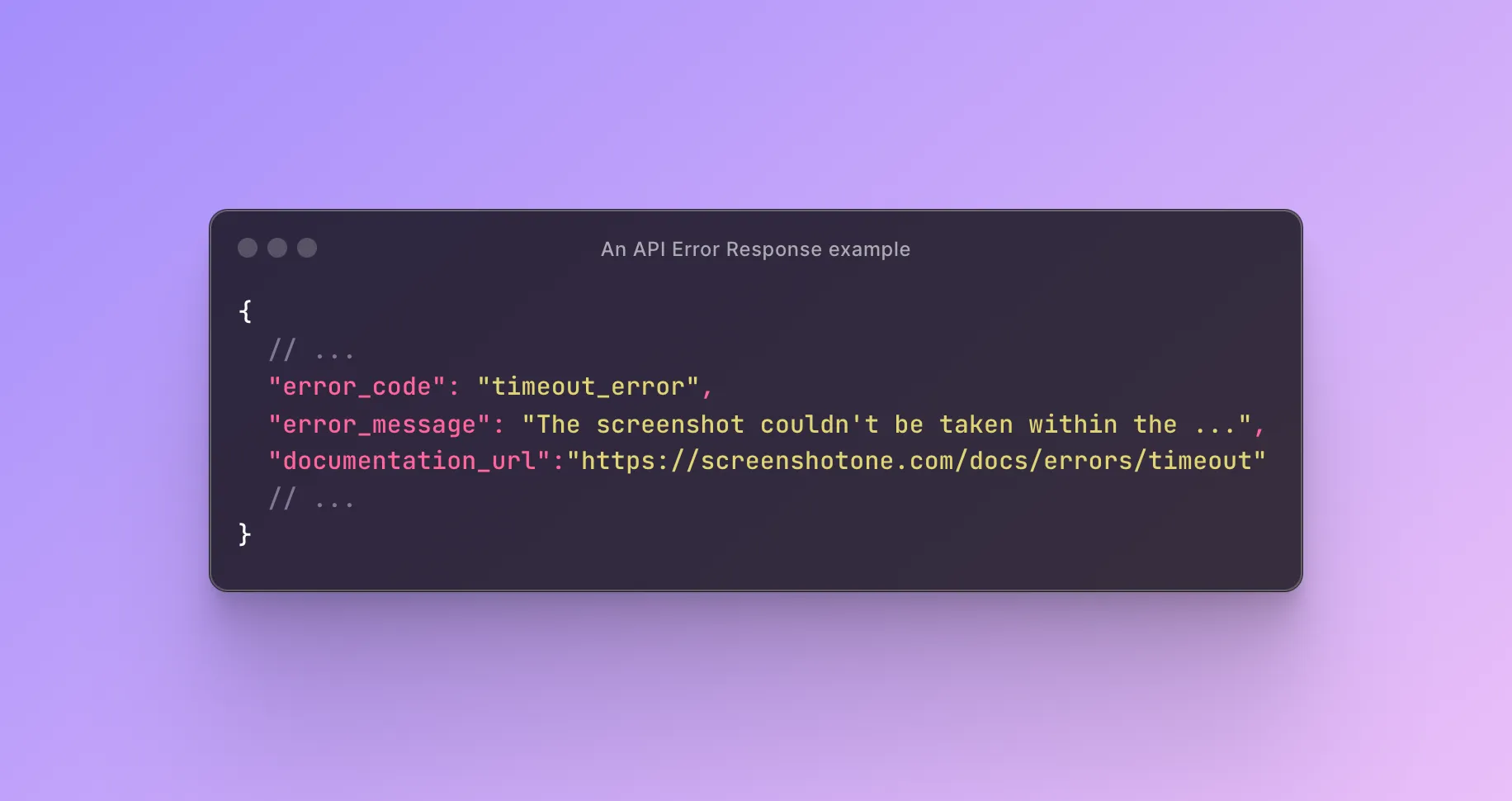
An error response example

Improved history

In the dashboard request log, users will also see an error and it is a link to the dedicated documentation page:
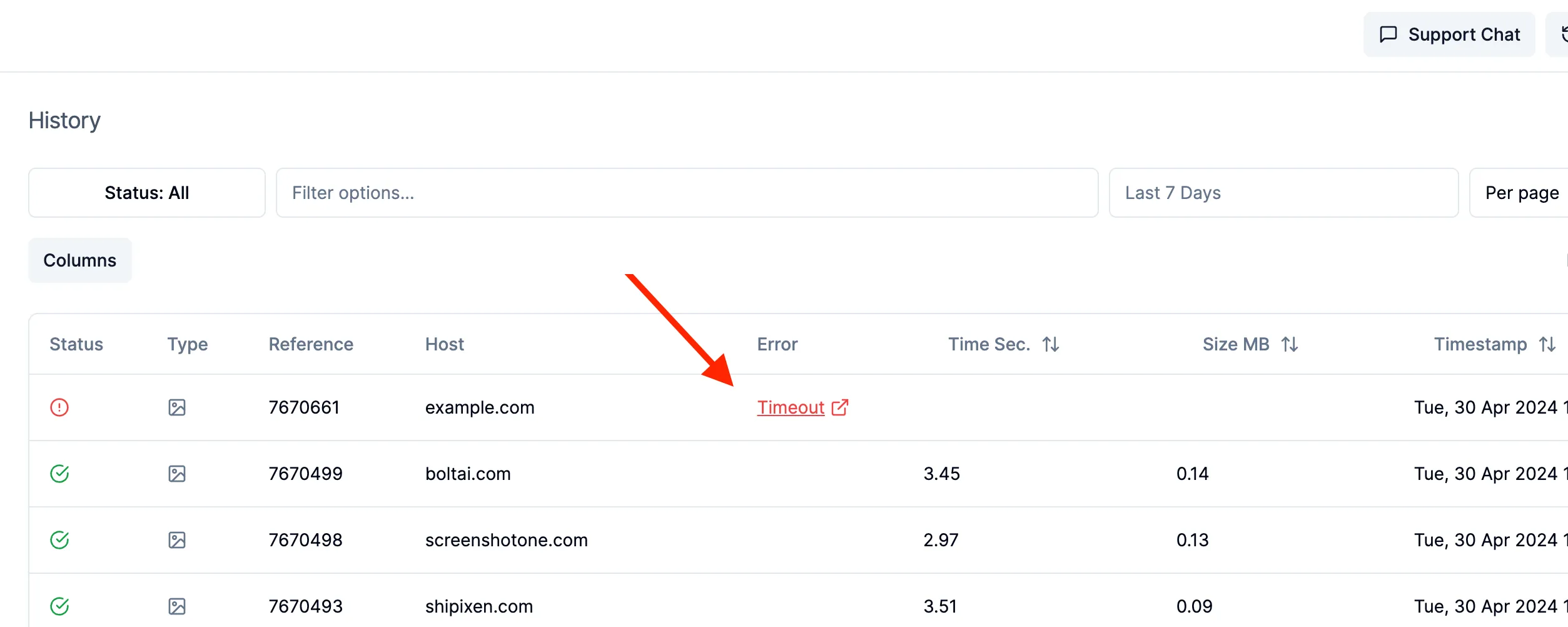
An improved request history

Next

There is a lot to do, still:

  1. Today, only a handful of errors are covered. But it is a good start and a solid foundation. The goal is to cover all errors.
  2. Send an email when the error is encountered for the first time with help on how to handle it.
  3. Automatically analyze the error and what caused it and provide code examples on how to fix it.
  4. More analytics of error rate by error types.

Any more ideas or best practices you can share? Feel free to reach out and share at hey@screenshotone.com.

Read more product updates

New features, bug fixes, and optimizations...

View all product updates
Rendering errors in webhooks

Rendering errors in webhooks

Check out how to get notified about rendering errors when using webhooks.

Read more

1 min read

Stop scrolling screenshots when a given selector is visible

Stop scrolling screenshots when a given selector is visible

New options were added to the ScreenshotOne API to stop scrolling screenshots when a given selector is reached.

Read more

1 min read

ScreenshotOne integration with Dirstarter

ScreenshotOne integration with Dirstarter

Build a directory with Dirstarter and add website screenshots automatically with ScreenshotOne.

Read more

1 min read

Automate website screenshots

Exhaustive documentation, ready SDKs, no-code tools, and other automation to help you render website screenshots and outsource all the boring work related to that to us.