Improved emoji rendering in screenshots

Emoji 16.0 characters and newer joined emoji sequences now render correctly in ScreenshotOne screenshots.

Changelog1 min read

Written by

Dmytro Krasun

Published on

We updated the color emoji font used by ScreenshotOne’s rendering environment. Emoji 16.0 characters such as face with bags under eyes, fingerprint, leafless tree, root vegetable, harp, shovel, and splatter now appear in screenshots instead of empty boxes.

Newer joined emoji sequences, including the two head-shaking faces, also render as single symbols instead of splitting into separate emoji.

The improvement applies automatically when you capture a website or render HTML with the API. No request changes are needed. Some existing emoji may look slightly different because the updated font includes newer designs.
Read more product updates

New features, bug fixes, and optimizations...

View all product updates
More consistent screenshots and clearer errors

More consistent screenshots and clearer errors

When reducing motion, sliders, carousels and looping animations stay still more often, so repeated screenshots of the same page match. Errors name the failed requests and password-protected sites.

Read more

2 min read

Stop scrolling screenshots when a given selector is visible

Stop scrolling screenshots when a given selector is visible

New options were added to the ScreenshotOne API to stop scrolling screenshots when a given selector is reached.

Read more

1 min read

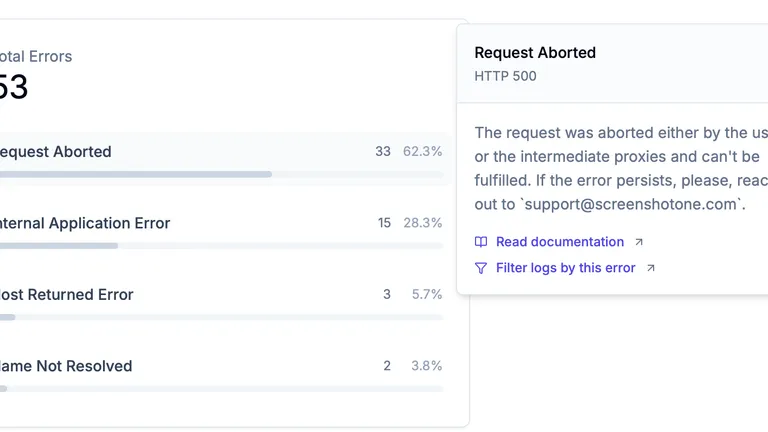
Error metrics in the dashboard

Error metrics in the dashboard

You can now see error metrics in the dashboard to quickly understand what errors are happening and how often.

Read more

1 min read

Automate website screenshots

Exhaustive documentation, ready SDKs, no-code tools, and other automation to help you render website screenshots and outsource all the boring work related to that to us.