When you connect an MCP application to ScreenshotOne, the approval screen now gives you more context before you choose Allow. It shows whether ScreenshotOne recognizes the application’s publisher and where the authorization response will be sent.
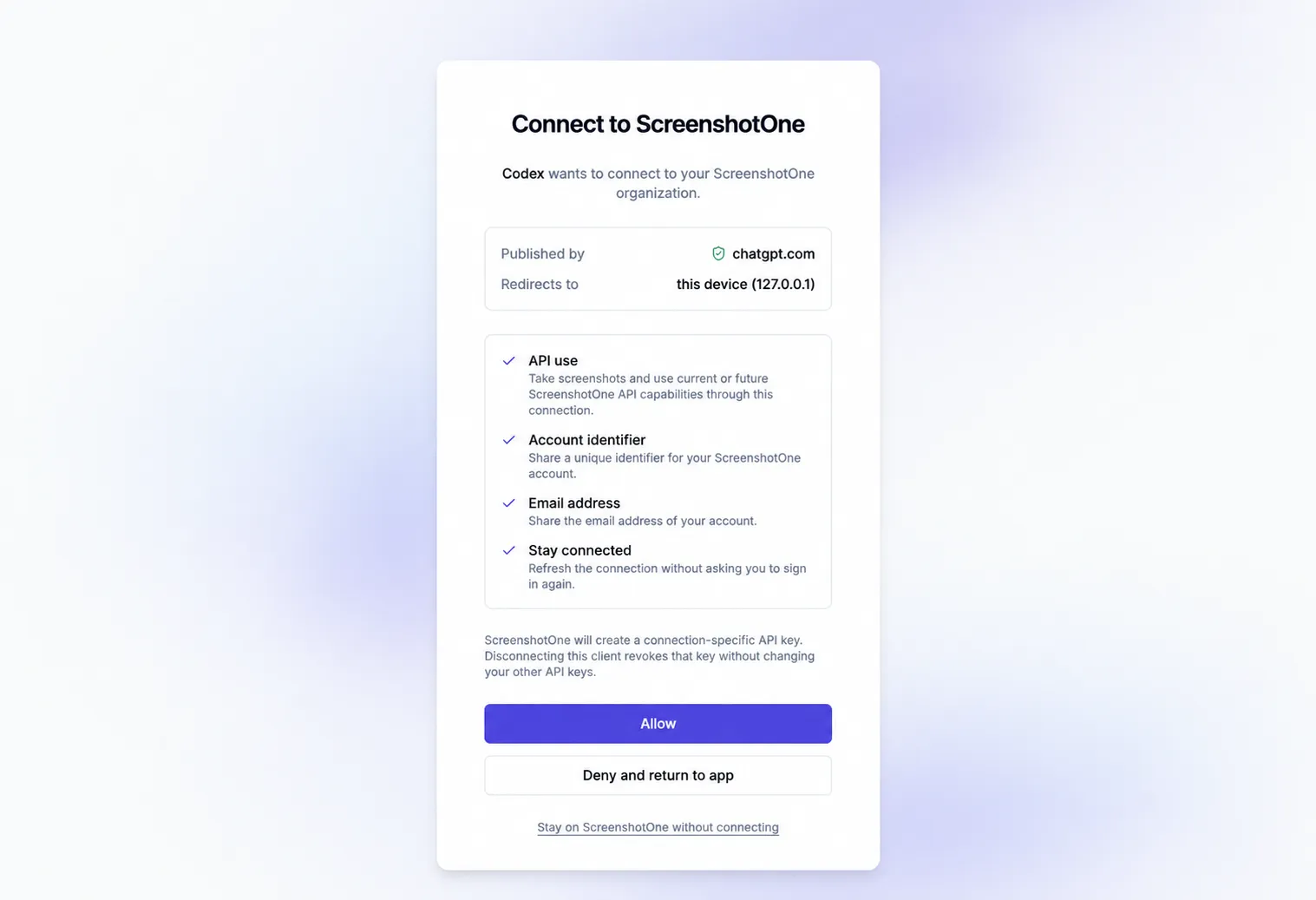
Applications whose publisher we haven’t confirmed are marked Unverified, with a reminder to check that you trust the application and recognize its callback destination. MCP applications that register themselves can still connect; the label is there to help you make an informed choice.
Invalid or expired connection links show an error instead of an Allow button. You can review the permissions requested by an application before approving the connection.