viaSocket is a simple way to turn ScreenshotOne API calls into reliable no-code or low-code workflows that include website screenshots.
ScreenshotOne for rendering screenshots
ScreenshotOne handles the hard rendering part:
- loading and rendering modern complex websites;
- blocks cookie banners, ads and other elements that are not part of the website;
- waiting for JavaScript;
- and giving you controls like delay, element blocking, and custom CSS for stable captures.
viaSocket for workflow orchestrations
viaSocket with 2000+ integrations handles orchestration around that API call: triggers, authenticated HTTP requests, retries, error branches, and logs. Instead of writing and maintaining your own scheduler and failure handling, you configure the flow visually and keep moving.
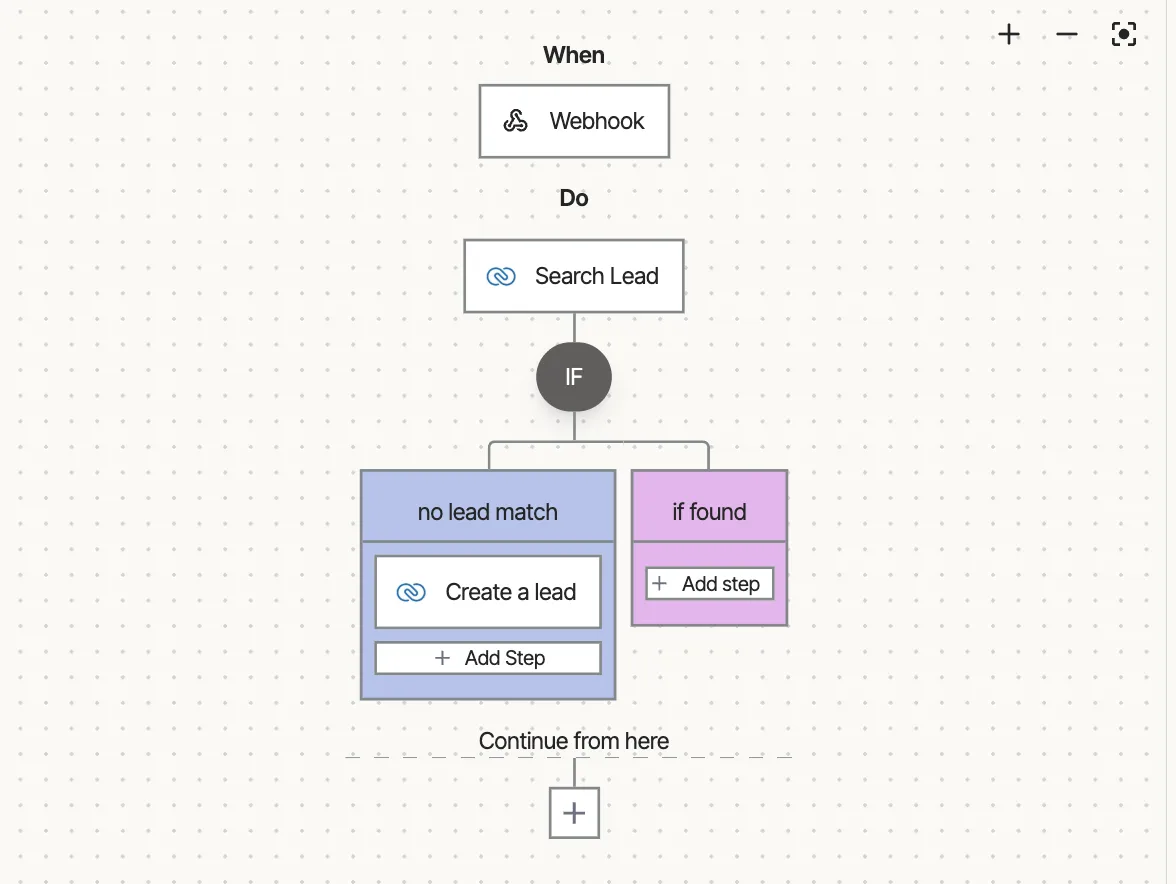
An example of how a viaSocket workflow looks like visually:
In practice, this combination works well for:
- scheduled monitoring of key pages;
- post-deploy visual checks;
- and many more screenshot automation use cases.
Read the viaSocket launch blog post for more details.
viaSocket also offers a library of ready-to-use automations that you can use as a foundation for your own workflows.
A good starting point is to test one URL in ScreenshotOne first, find the delay that produces a stable render, and then build a viaSocket workflow around it with explicit error routing.
If your team needs screenshot automation but does not want to run browser infrastructure, viaSocket plus ScreenshotOne is a fast and maintainable setup for no-code or low-code workflows.