How to automate website screenshots in Clay with ScreenshotOne
Clay is a powerful data-automation tool that lets teams enrich, filter, and transform leads from hundreds of sources without writing code. With Clay, you can build dynamic workflows that connect CRMs, APIs, and enrichment tools in minutes.

Integration with ScreenshotOne lets you automatically generate high-quality website screenshots inside your Clay tables—perfect for lead research, prospecting, directory building, and any workflow where visual context matters.
How to use ScreenshotOne in Clay
1. Get a ScreenshotOne API key
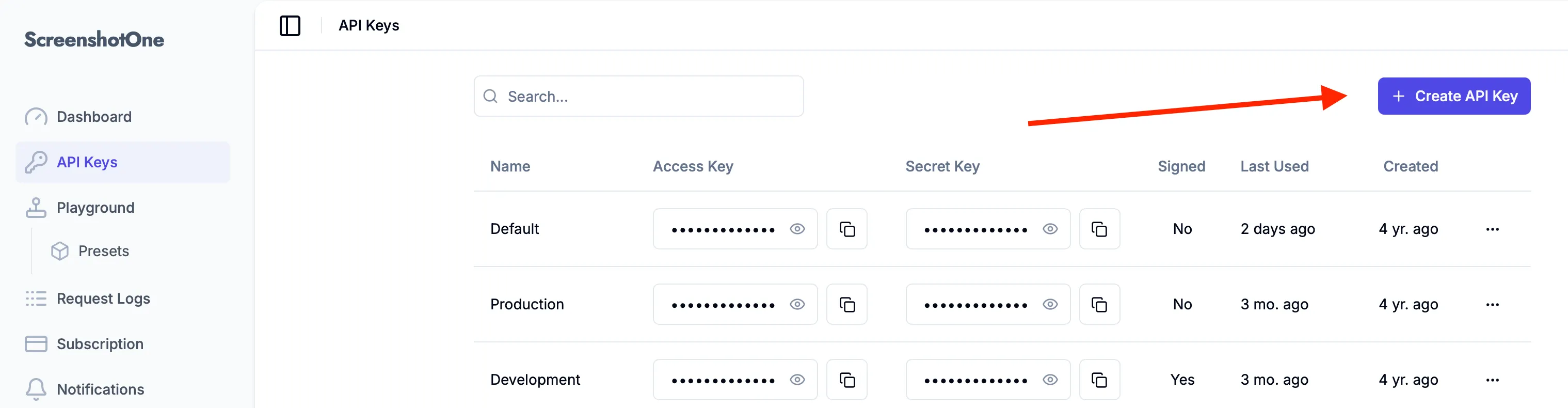
1. Sign up for ScreenshotOne and get your API key at the access page. Click on the “Create API key” button:
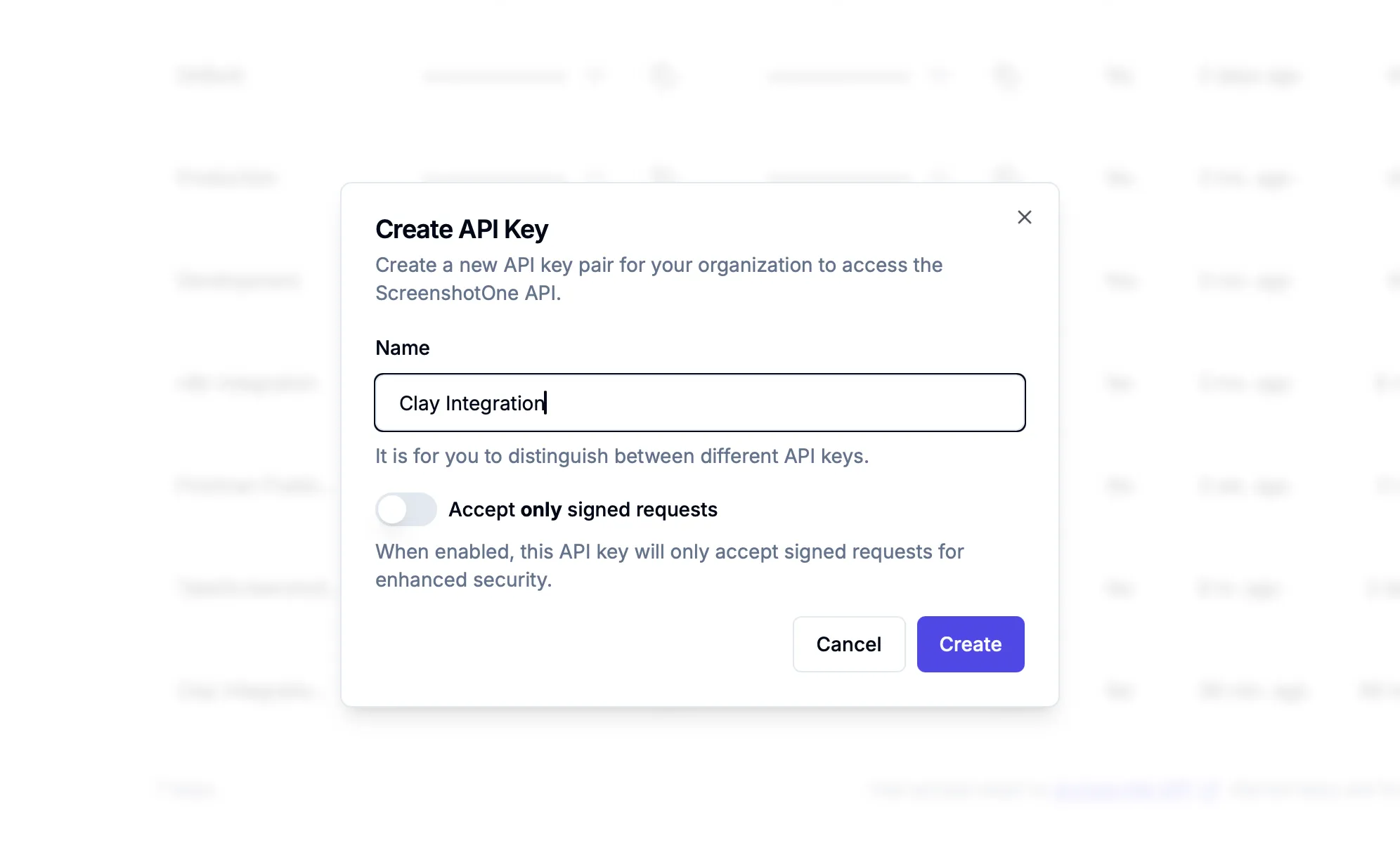
2. Enter a name for the API key, e.g. “Clay Integration” and click “Create API key”:
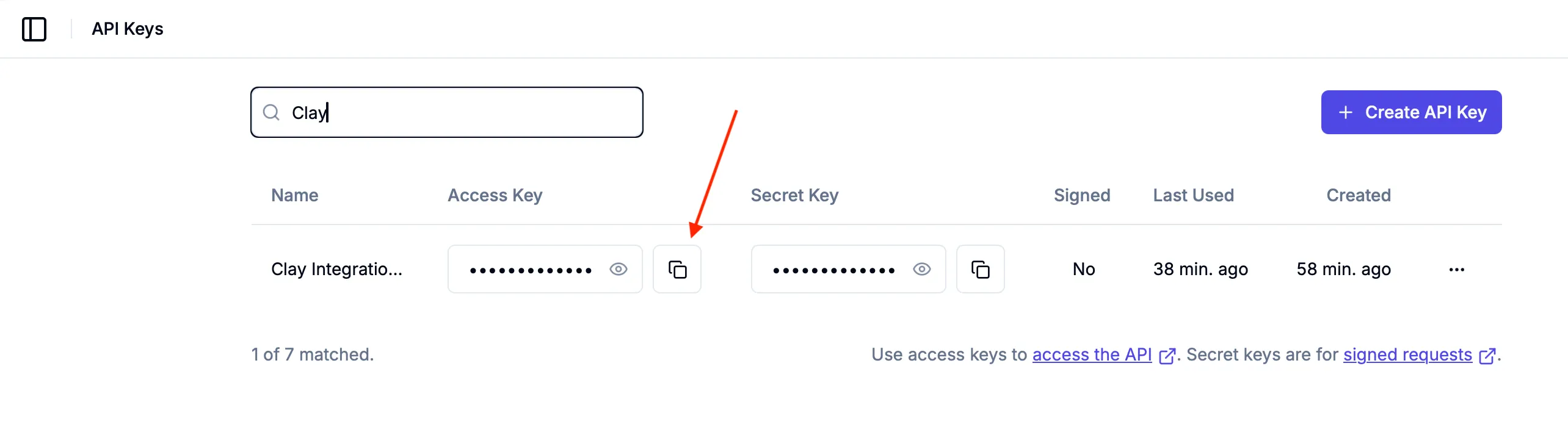
3. Copy the API key to use it in Clay:
2. Integrate ScreenshotOne in Clay as HTTP API
One of the ways to integrate ScreenshotOne in Clay is to use the HTTP API.
With the HTTP API, you can use ScreenshotOne in Clay as a HTTP API endpoint and use all our API methods and options.
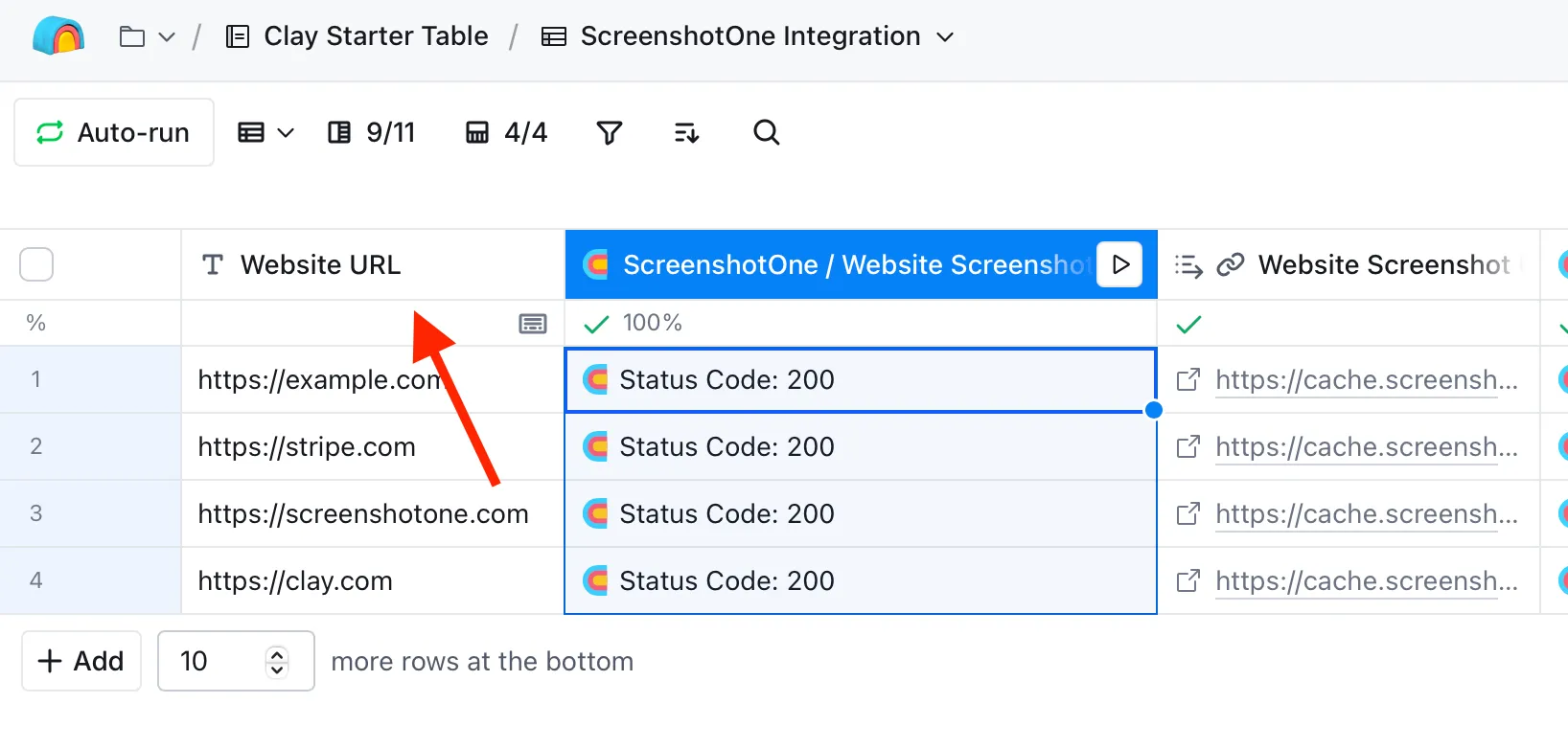
For example, let’s take screenshots of the website URLs stored in the Clay table:
1. Create a Website URL column in your Clay table and fill it with the website URLs you want to screenshot:
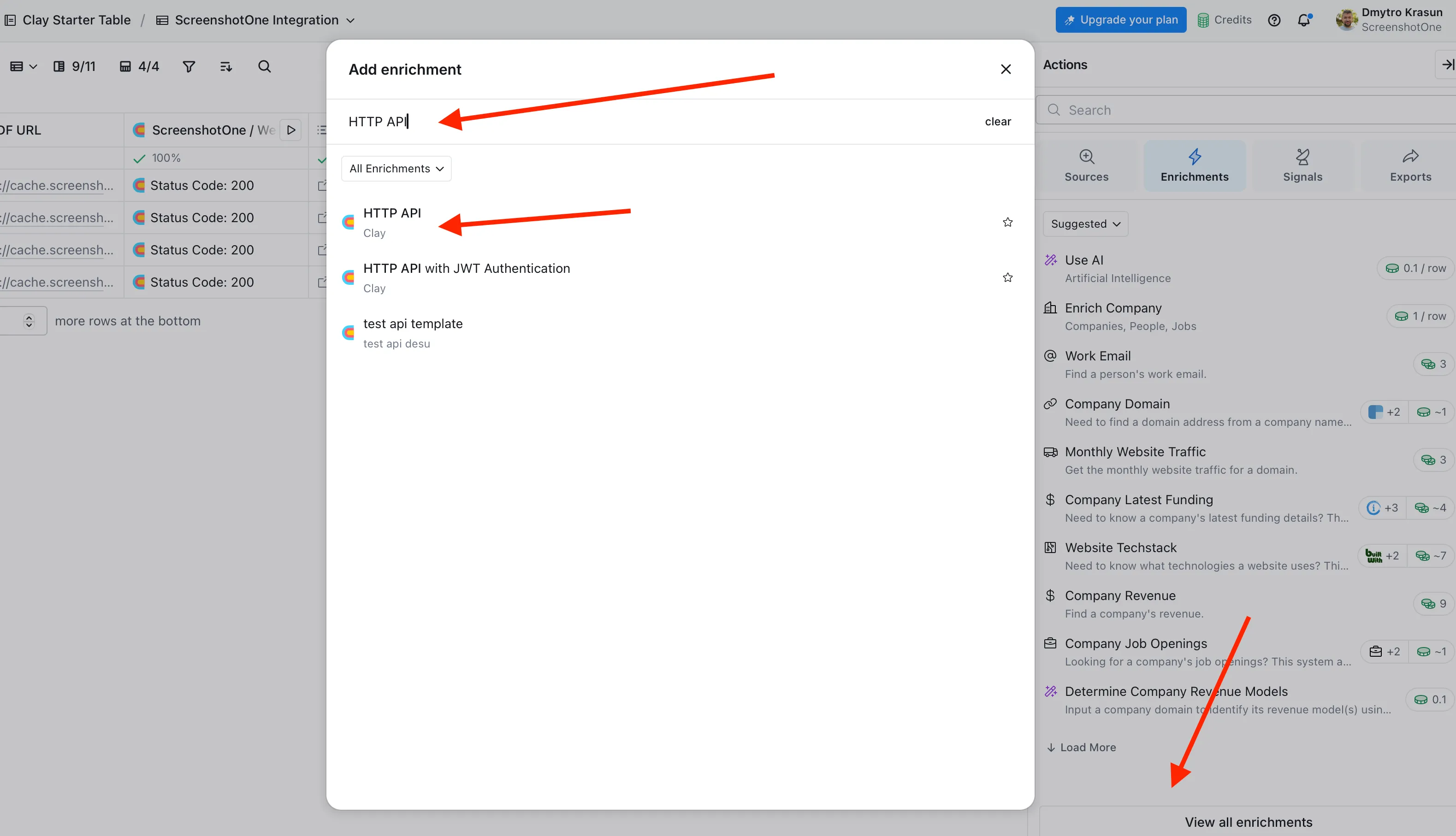
2. Add new column with enrichment step and use the HTTP API type of enrichment:
3. Configure the enrichment with the API key, API method and options:
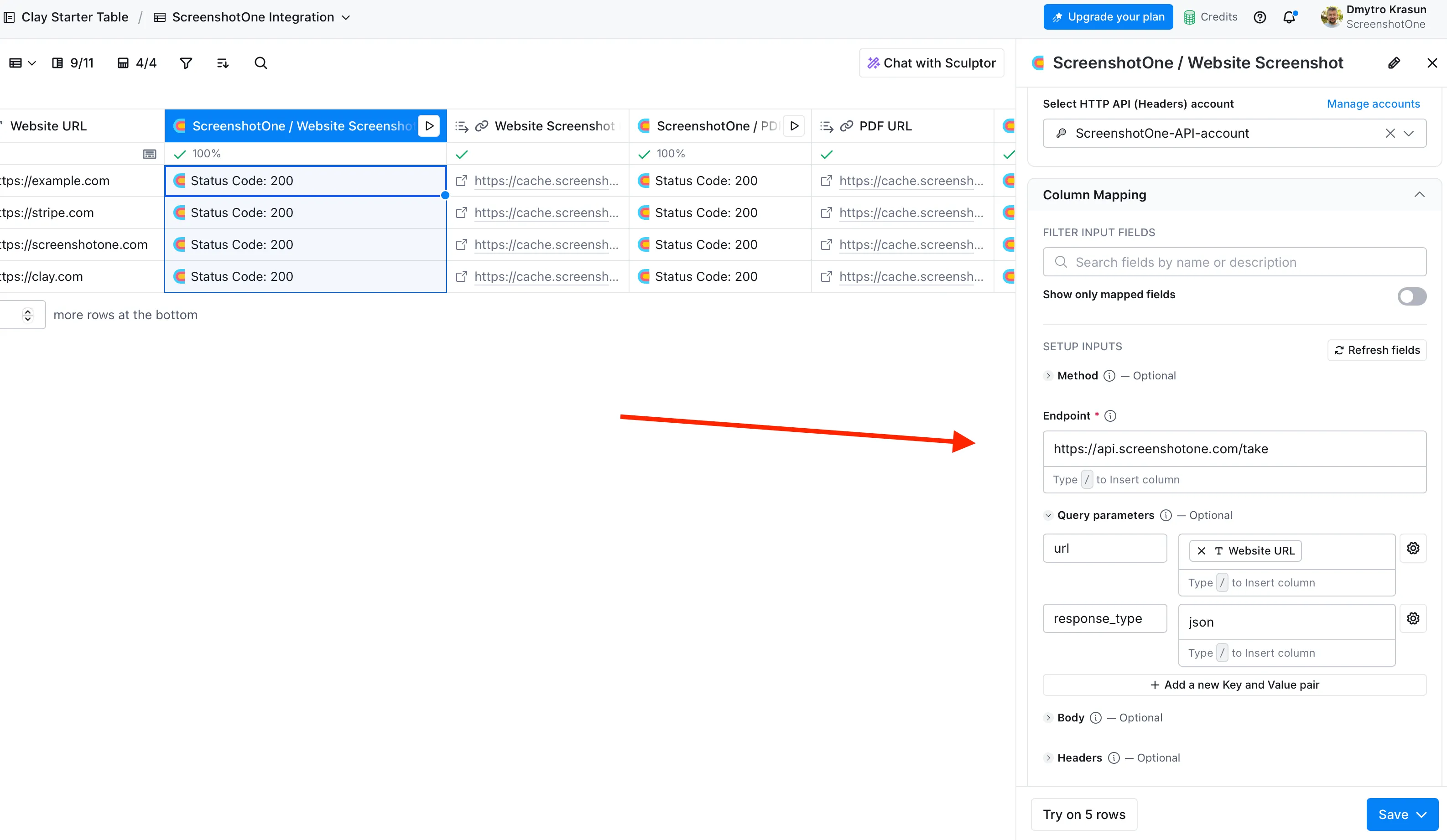
4. Save the enrichment step and run the workflow, once it is done, add the output as the new column or map it to the existing column.
Support
In case if you need any help or have any questions, please, contact us at support@screenshotone.com.